Xero SSO
Downloads
- Xero
- Xero Practice Manager
Prerequisites
- Practice Protect Administrator Account
- Download custom app here Xero and/or Xero Practice Manger
Instructions
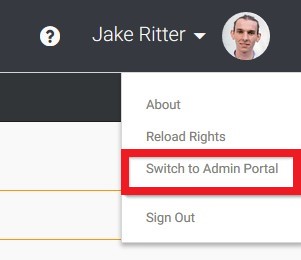
- Login Practice Protect platform then Click on Switch to Admin Portal.
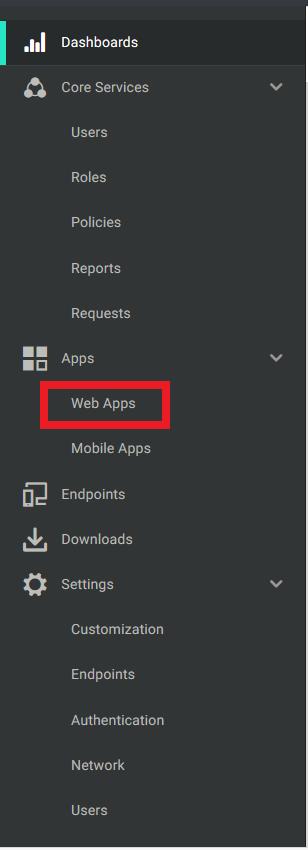
- In the left side pane, select Web Apps.
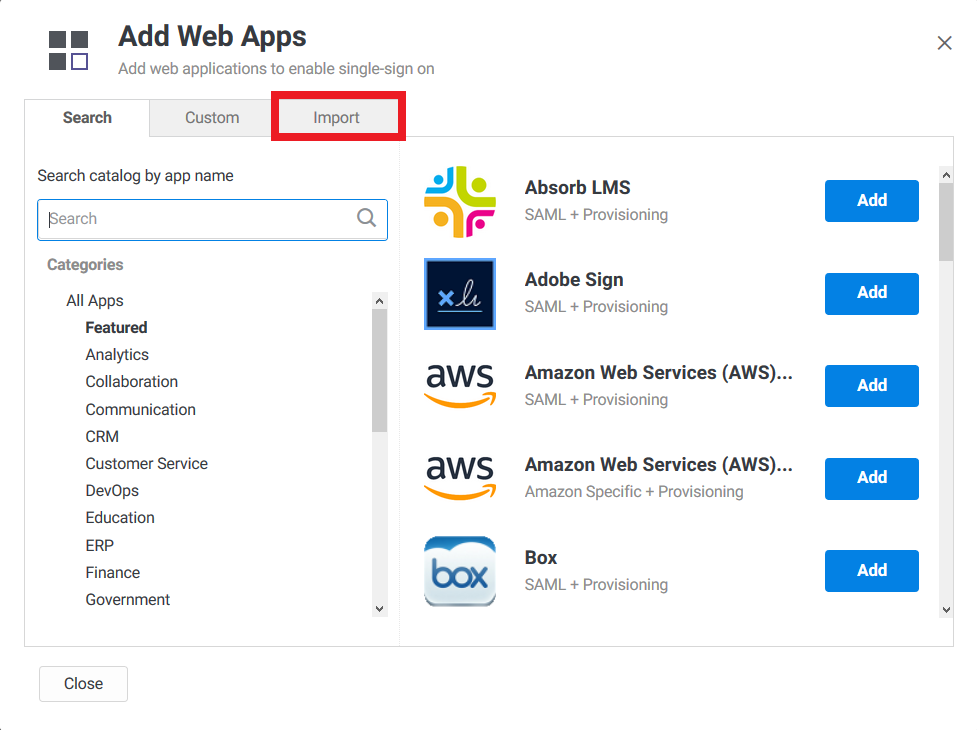
- Click Add Web Apps

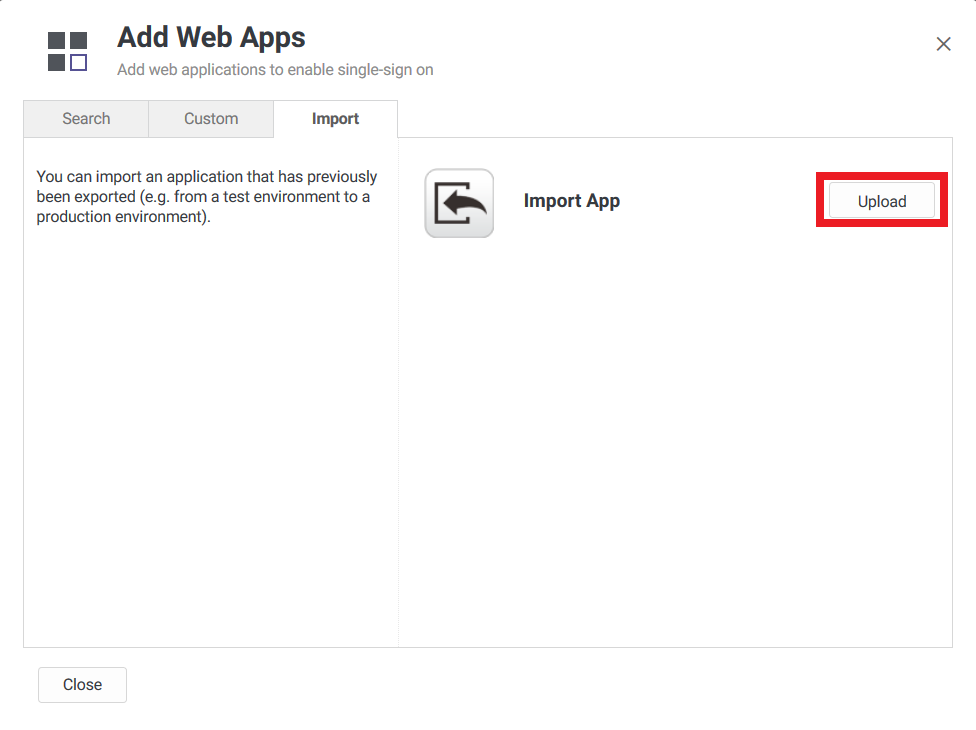
- Go to Import
- Click the Upload
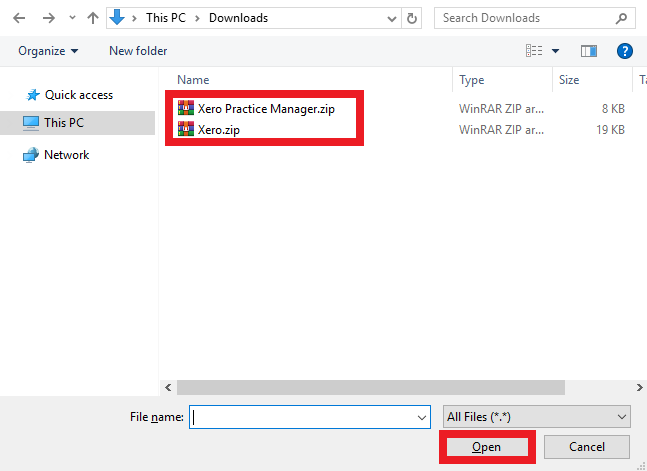
- Select the downloaded zip file and press Open
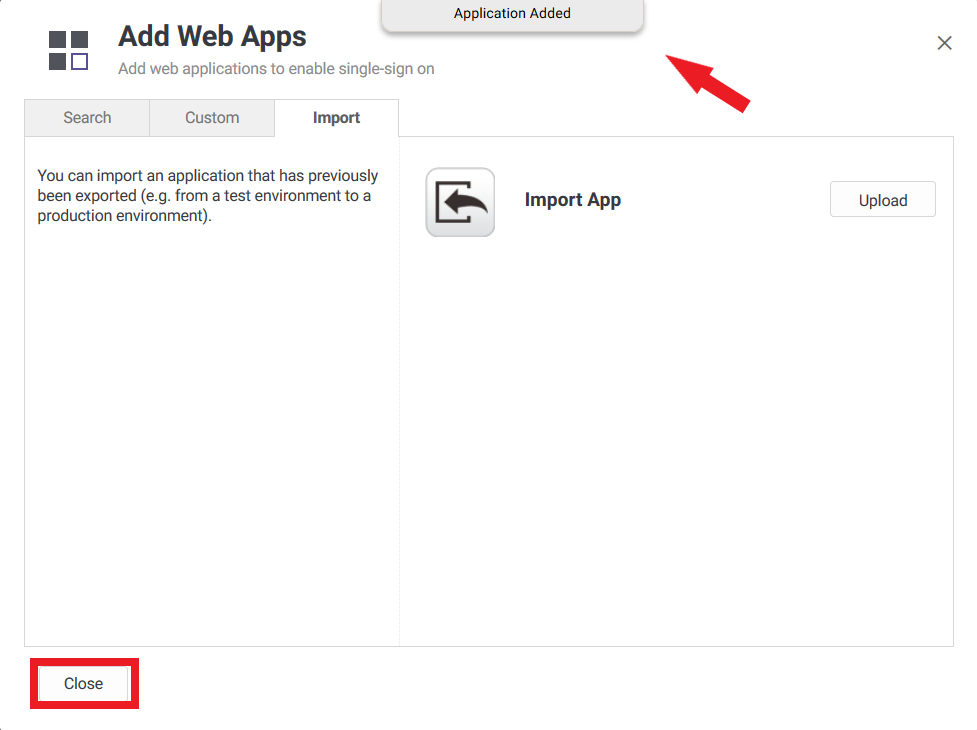
- Wait till you see message in the top “Application Added” then click Close.
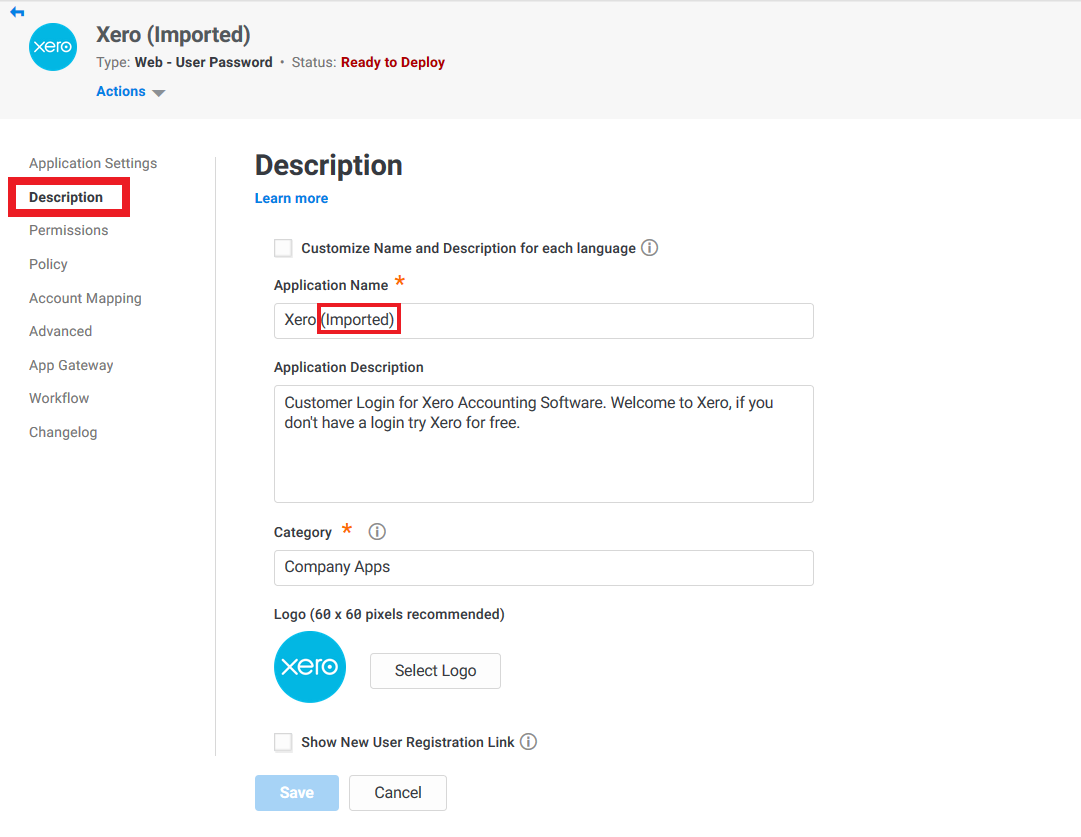
- The application settings page will open automatically. Go to Description and remove “(Imported)” from the Application Name
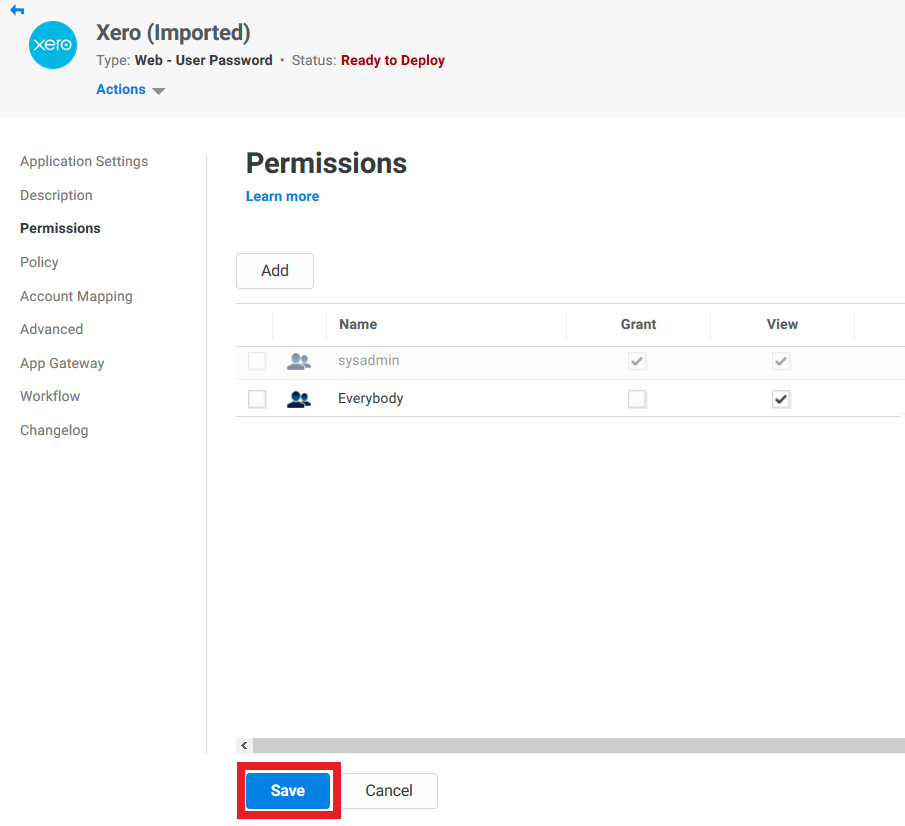
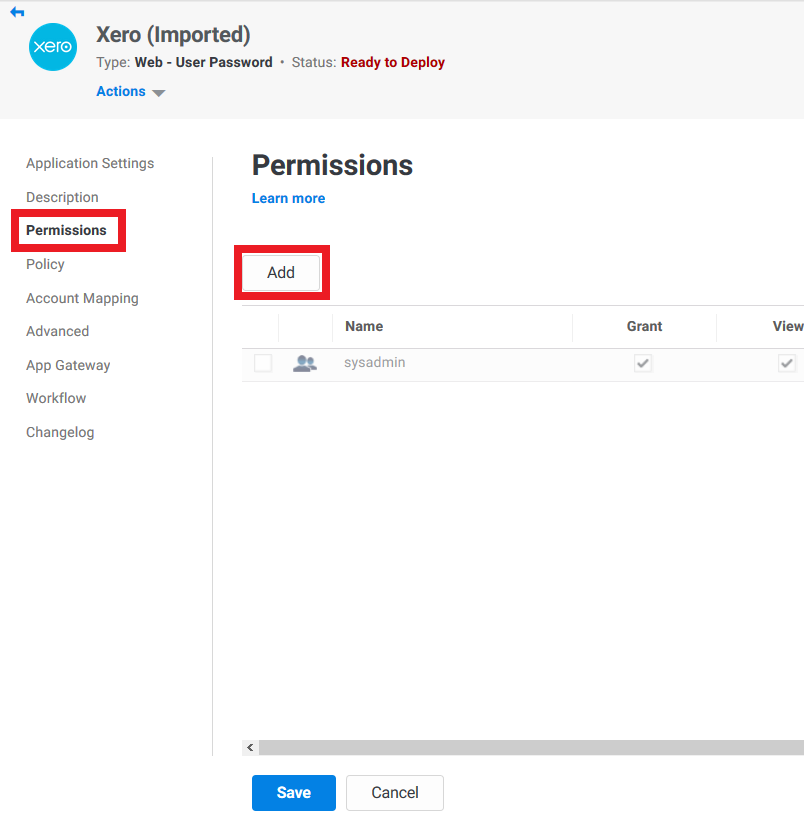
- Now go to Permissions and click Add to assign this application
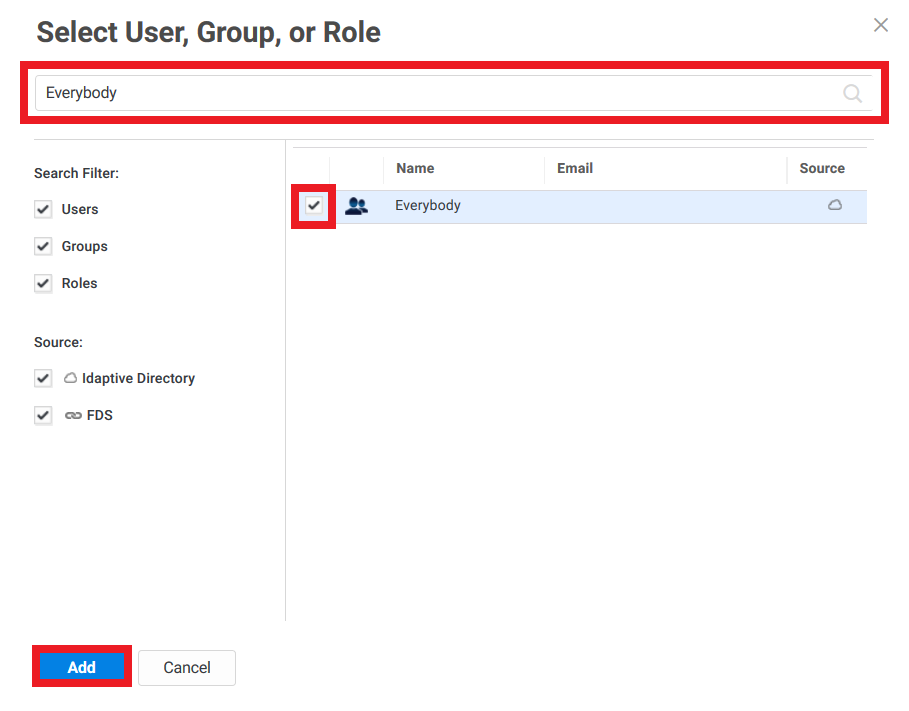
- Search for the User or Role and tick the checkbox beside the user name then click Add. You can assign this to Everybody or to specific roles or specific users
- Click Save to complete the application configuration.
The application is now listed on your Apps page